April 15, 2013
Making Your Own How-to Videos
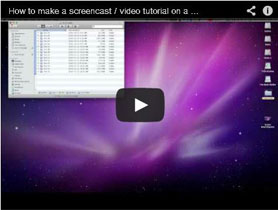 What could be better than a how-to video that describes how to screencast? Maybe Graeter’s ice cream, but then that’s hard to share in social media.
I’ve talked about screencasting before. Essentially it’s a way to track your screen shots and provide narration. You’ve probably seen these on YouTube – some 6-year-old tech wizard providing step-by-step instructions on how to add an attachment to an e-mail.
I think there’s some value to screencastings for churches. As a diocesan communicator, I heard some complaints time and again: I can’t figure out online registration. How do I change my address? How can I log-in to the website?
Screencasting enables the webmaster to create short, informative videos to answer these questions and others. It also creates an opportunity for teaching. For example, a diocesan communicator might want to create a screencast that shows parish administrators how to integrate Facebook feeds onto their website or manage social media strings through a program like Hootsuite. The beauty of a screencast is that you can show people each step – and they can keep referring back to the video with additional questions or for a refresher.
Google screencasting and you’ll discover lots of software options. In my transition from PC to Apple, I learned that my new MacBook Air includes an updated Quicktime that allows screencasting. Woo hoo.
Enough with the introduction. On to the show.
If you prefer old-school, here are some step-by-step instructions with screenshots.
-

Related Tool
Why is Creation Care So Important? The Rev. Bradley Mattson explores Jesus' teachings about fulfilling God's law, emphasizing that crea… -

Related Tool
Faith-Based Community Organizing: Book Study Groups This list includes resources to help your small group engage in meaningful conversations about congr… -

Related Tool
Small Group Book Studies for Fostering LGBTQ+ Inclusion Want to foster LGBTQ+ Inclusion in your congregation? Consder a small group study of these books!
 RSS Feed
-

Related Post
Eleanor Roosevelt and Us -

Related Tool
Building Your Asset Map: Building Authentic Relationships -

Related Post
The Art of Organizing, Part Two: Building Capacity for Sacred Resistance